Since a young age I was always good with computers. I spent many years of my adolescence tinkering on a personal computer: first TRS-80s at school, and then an IBM PCjr at home. It was a logical progression from building cities with Lego blocks to building programs in BASIC on a computer. At the time, no one understood what I was doing, and I had a difficult time explaining it to my family.
Education
When I was in high school, I kept my interest in computers but also developed an interest in architecture and design. I attended the Career Discovery program at Harvard’s Graduate School of Design and found that I would love architecture school. Based on that experience, I enrolled in the College of Architecture at the University of Arizona. I did well academically, always keeping in tune with computer technology by working as computer lab monitor and as a computer salesperson at the university bookstore. I loved design. I designed everything from airports to houses to chairs to transportation systems. Each summer while I was at Arizona, I worked for Donald Wexler, AIA, first as an office assistant and later as a junior draftsman. I was able to see first-hand how an architecture office worked. The only computers in that office were used for word processing. As school, I used the computers available to me as tools to help with my tasks but I found then hopelessly rigid and underpowered to replace my simple sketchbook.
When it came time to select a topic for my thesis project, I decided to build Charette a prototype for a pen-based portable architectural design tool based on the architect’s sketchbook. The idea was to take the flexibility and informality of a sketchbook and combine it with a computer. Using tools like Fractal Design Sketcher and AutoCAD on a GRiD Convertible computer, I was able to demonstrate a vision of a portable design tool for architects. In my final year of architecture school, I saw two things: there were better building designers in my class than me and that I was better at computers than anyone else in my class. My mentor and thesis professor, Charles Albanese, AIA gave me this wonderful piece of advice: find what you’re good at and what you like and become the best at that. From that advice, I decided to go to graduate school to combine my aptitude for computers with my love of architecture.

I found the perfect program: UCLA’s School of Arts & Architecture had a Master’s of Architecture program specializing in Computer Aided Design Tool Development. I was accepted to the program and under the guidance of Charles Eastman, Robin Ligget, George Stiny, and Murray Milne, I learned about CAD Software Development. I learned the basics of C and C++ programming as well as how to use programs like WaveFront, SGI Performer, AutoCAD, and Photoshop in the context of architectural design. While at UCLA, I was employed in a work-study program at the UCLA Medical Center Computing Services as a network technician. The CTO of the Medical Center, Dr. Mike McCoy was interested in my research with pen computers from Arizona and I was able to work with him investigating the use of a pen computer as a digital patient record tool for medical professionals. For my graduate thesis project I built a CAD tool for constructing quadrilateral meshes for curtain wall design based on OpenGL and MFC.
CAD Software
Having received my Masters of Architecture Degree, I found a job with Tartus Development, Inc., a consulting firm in San Rafael, California which specializes in building CAD software for the A/E/C industry. I have been with Tartus since January 1995 and have grown to the role of Lead Software Architect. I have worked on various projects, but my main focus has been developing BC Framer for Boise Cascade Corp., a tool for automating the production of working drawings for floor and roof framing. Throughout my time at Tartus Development, I have investigated and used many technologies including MFC, the Standard C++ Library, OpenGL, Open Inventor, Ricoh DesignBase, AutoCAD, OLE for Design and Modeling, Microsoft XSG, XML, XSLT, BeOS, and Microsoft .Net.
Mind Mapping Software
In January of 2003, I started at Mindjet LLC in Larkspur, California as the Software Development Manager, leading a team of software professionals to develop MindManager 2002 for Tablet PC, released in April 2003 and MindManager X5 Pro, released in October 2003. I then moved to the new Business Solutions Group at Mindjet, where I will be working to design and develop new and innovative uses of MindManager X5 Pro. That role evolved into evangelism of the solution platform where I created the popular Mindjet Labs website.
Media Experience Evangelist
In April 2007, I joined Microsoft as an evangelist focusing on media and entertainment scenarios. I focus on explaining and demonstrating technologies like Windows Azure, Xbox, WPF, Silverlight, Windows, Windows Phone, and most recently the Kinect Sensor. In this role, I have worked with some of the largest media companies in the world, including Adobe, Disney, 20st Century Fox, Time Warner, CBS, Netflix, Sony, and Hulu and even had the opportunity to work with Ice Cube and interview him.
Creative Experience Engineer
Throughout my time at Microsoft, I have had roughly the same role, one of a creative experience engineer and a technical evangelist, explaining and demonstrating software development technologies. Experimenting with technology and hacking together solutions with partners is a core part of that. At Microsoft, the partner-facing evangelism/engineering group has changed over time with the technology landscape:
- Developer and Platform Evangelism (DPE): Communications Sector
- Developer and Platform Evangelism: US West Region
- Developer Experience (DX Corp)
- Technical Evangelism and Development (TED)
- Commercial Software Engineering
Over the past 14 years, I have had the pleasure to work with top Microsoft partners, helping them build apps and solutions using the various Microsoft developer technologies: Disney, Fox, CBS, NBCU, Netflix, Hulu, Time Warner, HBO, MTV, Turner, AT&T, ArcGIS, T-Mobile, Verizon, New York Times, Associated Press, DirecTV, Dish Networks, Twitter, LinkedIn, Sony, Starz, Universal Music Group, Warner Music Group, FlashForge, Dremel, BeeVeryCreative, Technicolor, THX, Ultimaker, Fitbit, Ableton, and Adobe.
Technical Program Manager
In 2020, I started a new role as a Technical Program Manager in Microsoft’s Commercial Software Engineering team where I lead cloud software development projects. I have been focusing of projects that involve creation, production, distribution within the media and communications industry helping companies with their digital transformation.
3D Printing
Another project that I have been engaged with at Microsoft is working with the Windows 3D printing team to help hardware manufacturers make their printers work better on Windows and help software developers build 3D printing apps that work great on Windows. As part of this, I presented about Universal 3D Printing for the Microsoft Build conference in 2016. My growing catalog of original creations is on Thingiverse.
My Career
In my career in software, I found the three elements of any job that I need to keep me satisfied, engaged, and doing amazing work:
- The role must be customer-facing in a domain that interests me: this keeps me grounded in reality – as I hear from customers and partners directly what they are trying to accomplish.
- I need to play with technology and code: For me, playing with software and code is the best way that I can learn how to explain technology to others.
- I need to be creative: I look at code as a creative tool that sits right beside my sketchbook, watercolors, pens, and pencils. When I get an idea, I need to build it.
Travel | Art | Journalist
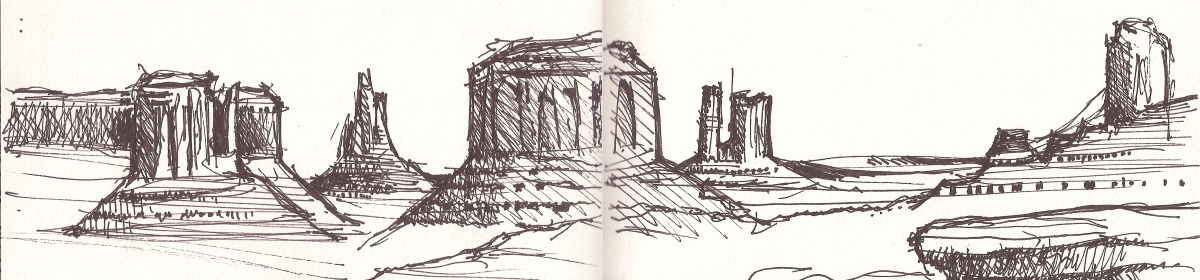
Since starting the practice in architecture school, I have been filling journals with drawings, sketches, paintings, collage, and the ephemera of my travels. I take a journal with me everywhere I go to be able to capture a place as an urban sketcher, chronicle an idea as a designer, or share an inspiration with others through the visual media. With almost 1,800 pages over a thirty year span, I continue my craft wherever my work or life takes me.
- Safari Journal
- Journal 2015-2017
- Journal 2018-2019
- A Travel|Art|Journalist for #dearMoon
- Keeping Journaling Alive in the 21st Century
- Painting the Blue Sky Crimson
Independent App Developer
One of my creative outlets is code – I build apps in my free time, primarily creative tools.
 |
Sketch 360 for Windows 10 | A drawing app tool to create immersive, 360 degree sketches. |
 |
Rotoscope for Windows 10 | A rotoscoping app to assit in the process of drawing each frame of a video to create animations. |
 |
Journalist | A journaling app for Windows |
| Architecture for Windows Phone | Browse architecture from around the world and nearby. | |
| Architecture for Windows 8 | Browse architecture from around the world and nearby. | |
| Tile Charts for Windows 8 | Turn your Windows 8 start screen into a dashboard of charts that automatically update | |
| Authentic for Windows 8 | Player for Connected Media Experience media packages. | |
 |
Zoetrope | Stop-motion animation app that turns images from the webcam, scanner, files, or drawings into video animations. |
| Time-Lapse for Windows 8 and http://timelapseapp.com/ | Simplifies the task of creating time-lapse photographs by crowdsourcing the task. | |
 |
Kinetic Typography | Design tool for Kinetic Typography experiences which animate lyrics, poems, or speeches. |
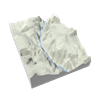 |
Topographic | Create 3D-printable topographic maps from anywhere in the world |
 |
OpenJSCAD | Use JavaScript or block proramming to make models to 3D Print |
 |
Transcoder | Transcode audio and video files from one format to another |
 |
Animated GIF Creator | Create animated GIF images from videos |
Career Coach and Mentor
As creativity has been a core element of my career in technology, I have found that many people at various stages in their career have had challenges in building similar career paths. As a way of giving back to my community, I have been engaging in informal career coaching and mentoring to help people build their authentic creative technology career.
If you want to have a talk, reach out to me on LinkedIn or go to my site TechCreativeCoaching.com.
Creator & Founder, Galeryst
Over the past thirty years, I have been creating artwork, and has always been looking for ways to share my work that is primarily bound in the pages of journals. The global pandemic shut down in-person art galleries and exhibits for much of the world and that inspired me to find a way to recreate the art gallery experience online, not only for my own work but for artists everywhere. In 2021, I took a sabbatical from my work at Microsoft to build Galeryst to exhibit my own artwork and give artists around the world an engaging, interactive, way to exhibit theirs. Since launch in December 2021, more than 500 artists have created galleries on Galeryst across the globe.
Principal Product Manager, Typeface
In July 2023, I started a new job at Typeface, a Generative AI startup that focuses on enterprise content creation. In this role I will be leading product development and working with customers and partners.
Last Updated 1/12/2021
Hi Michael,
I’m reaching out to you because I found http://charette.com and think your product would be appealing to the millions of travelers that visit TripAdvisor each month.
Are you looking to generate more bookings? If so, when would you be available for a 15-20 minute call in the next week to discuss how we might work together to get more exposure for your experience?
Thanks,
Kenneth
TripAdvisor Supply Optimization Team